Case Study / Product Design / EXPANDING THE FLOW
From delivery to operations
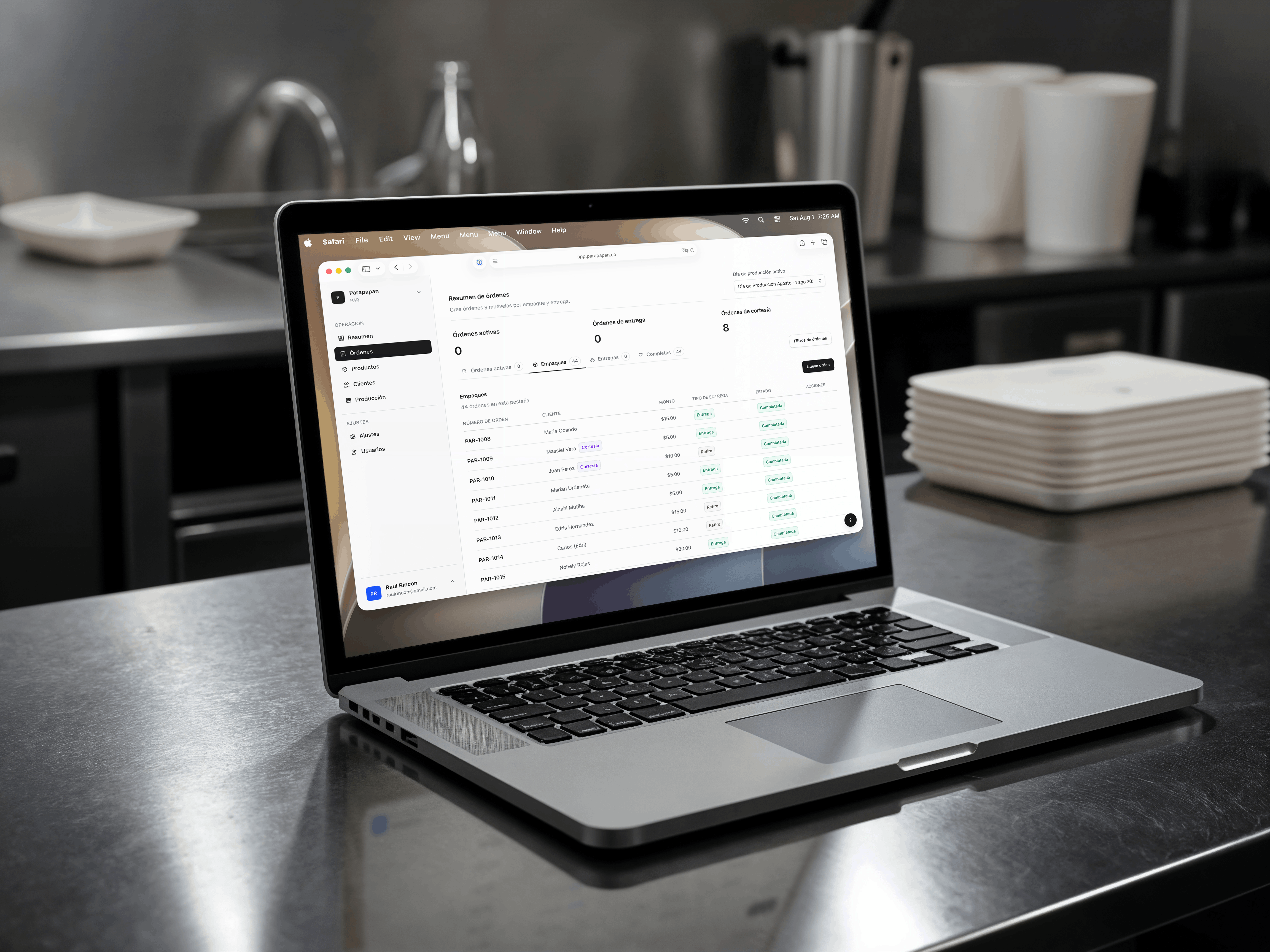
The whole project started as a delivery app for Parapapan, my family’s bakery business. The first version solved route organization for drivers. Once that worked, the next problem became obvious: orders, packaging, delivery status, costs, and production-day planning were still being managed manually across different tools.
I expanded the product into a web dashboard that now helps manage orders, products, ingredients, packaging, deliveries, business settings, and reporting. The goal is to keep the workflow simple enough for a small business to use, while giving us better control over the full order-to-delivery process.
I’m currently calling this larger system Impulso: a dashboard and delivery platform that started from ParapanApp, the delivery app I built for Parapapan.
Expanding the workflow
Expanding a simple delivery app into a fuller operations platform.
Overview
ParapanApp started with a very specific problem.
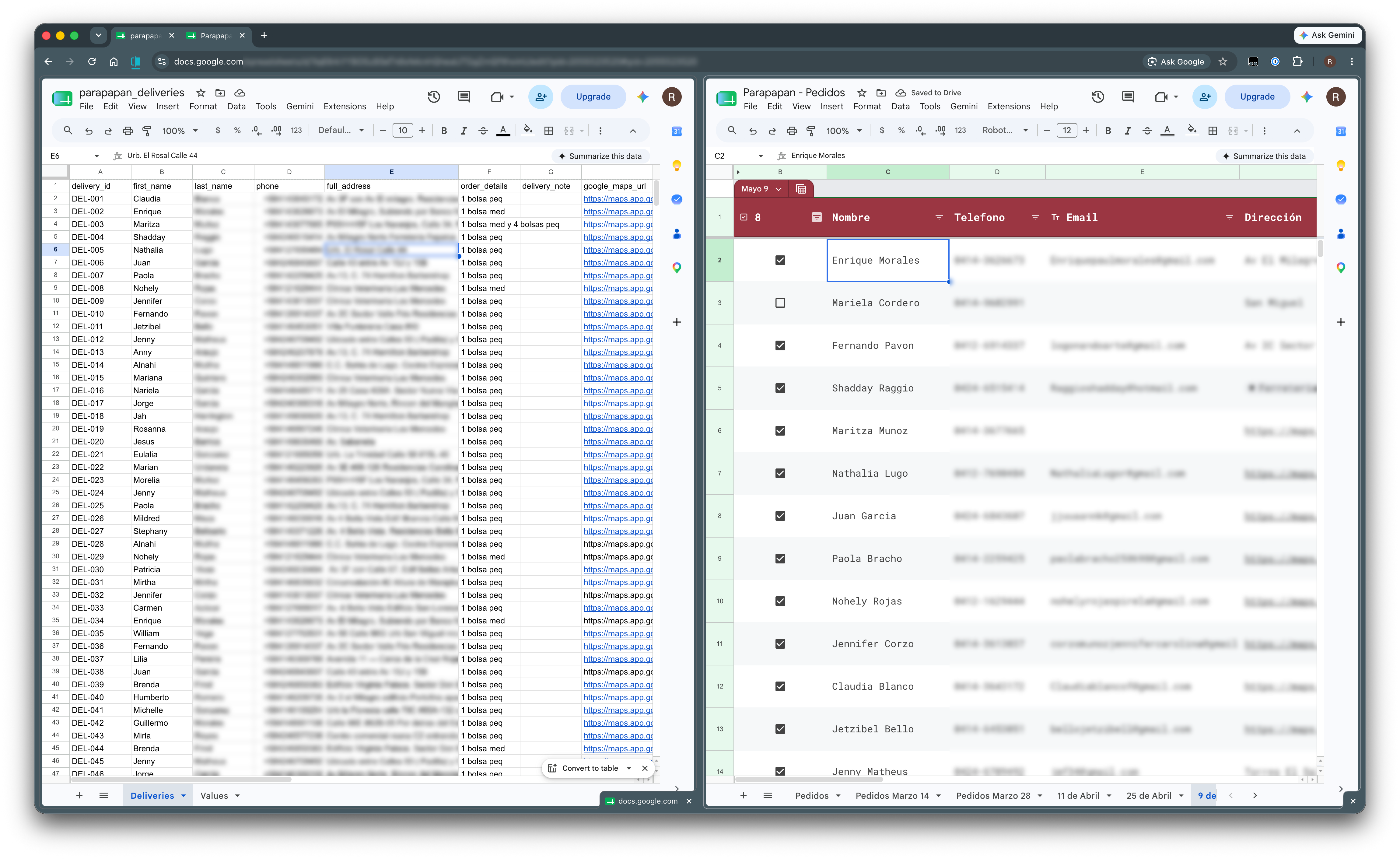
I was spending hours organizing deliveries for Parapapan through spreadsheets. Orders would come in, I would manually sort delivery addresses, prepare the route, and make sure the drivers had the right information.
The first version of the app solved that delivery problem. Drivers could open the app, see their assigned deliveries, and follow a list organized by proximity. But once deliveries became easier, another bottleneck appeared.
We still needed a better way to manage orders, packaging, pickup items, delivery status, costs, and production-day planning. The delivery app solved the last mile. The dashboard started solving everything before that.
The Problem
Before the dashboard, the workflow was split across multiple steps and tools.
Orders were taken manually. Delivery details had to be prepared separately. Packaging required its own checks. Cost and profit were not always easy to understand at a glance.
The process worked because we made it work, but it was not clean.
Every production day required too much mental effort just to answer basic questions:
- What orders do we have?
- What needs to be packaged?
- What is pickup and what is delivery?
- How much does each product cost us to make?
- How much profit are we making?
- What needs to go to the delivery app?
The more the business grew, the more obvious it became that the spreadsheet workflow was not enough.
Moving Beyond Deliveries
The original delivery app was useful because it removed a very specific pain point: manually sorting deliveries. But the delivery app still depended on data being prepared elsewhere.
At first, that meant adding order information into a CSV and letting the app ingest it. That worked for the early version, but it still required setup and manual handling.
The dashboard changed that. Now, orders are created inside the system. Products and ingredients are configured there. Deliveries are generated from that same source of truth. The delivery app no longer needs a manually prepared CSV because it pulls the data from the dashboard API.
That was the shift from “simple delivery app” to “operations platform”.
How The Workflow Works Now
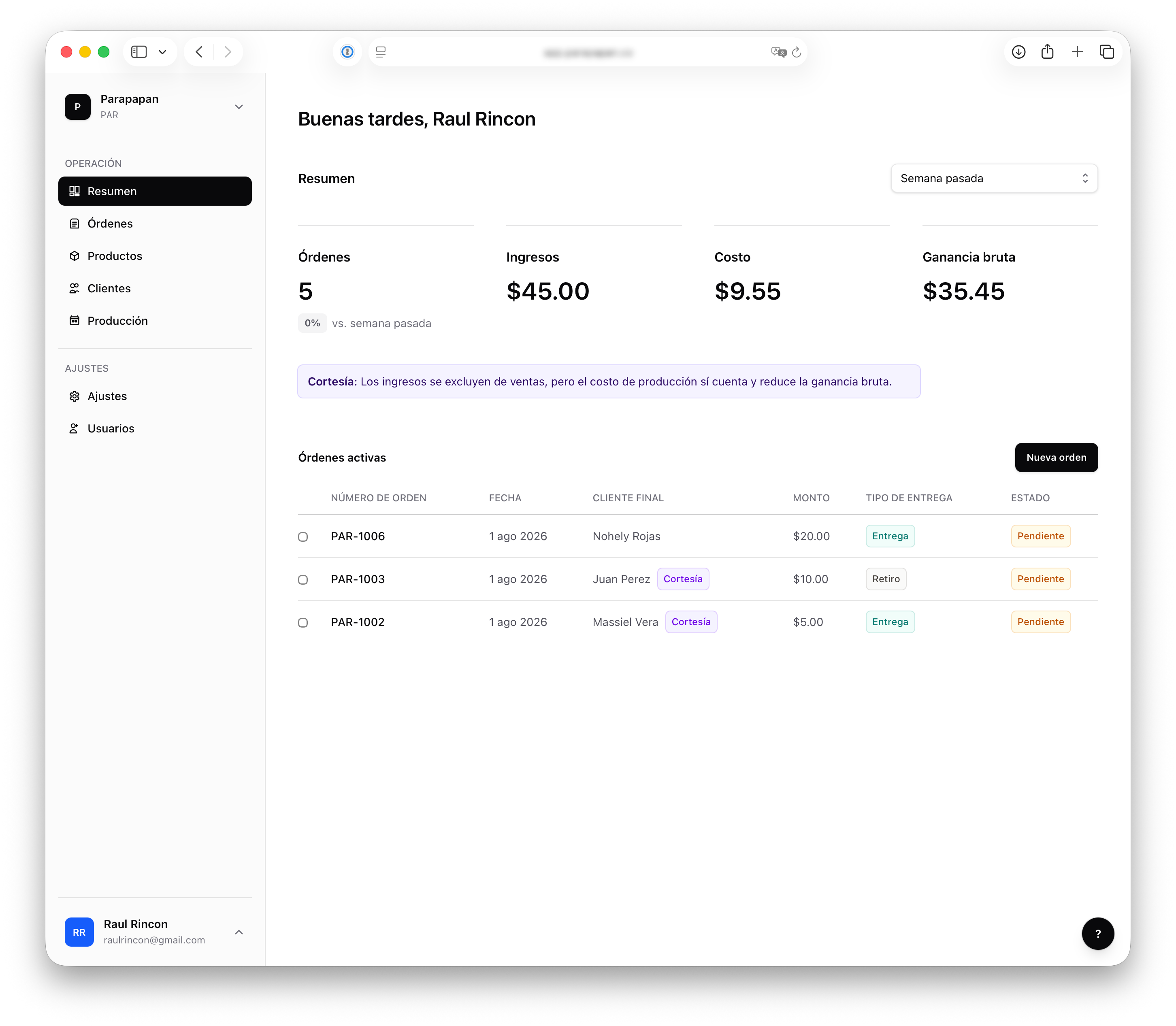
Ahead of each production day, orders are added to the dashboard.
Those orders help us understand what needs to be prepared, what is pickup, what is delivery, and what the packaging workload looks like.
Once the products are baked and packaged, the system becomes useful again by giving us plain details about each order and delivery. Drivers get the information they need through the app, and the dashboard keeps the business side organized.
The current workflow looks like this:
- Orders are added to the dashboard.
- Products and ingredients define cost and profit.
- Orders are assigned to a production day.
- Packaging and delivery details are prepared.
- Delivery data is sent to the delivery app through the API.
- Drivers use the app to complete their routes.
The Dashboard
The dashboard manages the parts of the business that used to require a lot of manual work.
It currently includes:
- Orders
- Products
- Ingredients
- Deliveries
- Users
- Instances
- User details
- Business settings
The most important part is that these features are connected. Products are made from ingredients. Orders use products. Orders feed delivery and packaging. Reports are generated from the same information.
Once the data is in the system, the rest of the workflow becomes easier to manage.
Reports And Business Visibility
One of my favorite parts of the dashboard is the reporting. The reports are intentionally simple. I do not want the system to become heavy or hard to understand.
Right now, the most useful reports show:
- Products sold
- Cost
- Profit
- Lower-performing items
This gives the business a quick way to understand what is working without having to calculate everything manually somewhere else.
For a small business, that matters a lot. It is not just about selling more. It is about understanding what it costs to produce what you sell, what is worth repeating, and what might need to change.
A Product Decision I’m Glad I Made
One thing I have not fully automated yet is production quantity calculation. That might sound like an obvious thing to automate, but I decided not to do it yet on purpose.
The bread formula still changes. Recipes get adjusted. Production logic changes depending on what we are making and how we are making it. Automating something that is still changing would create more problems than it solves.
Instead, I focused on automating the parts of the workflow that are stable:
- Orders
- Packaging
- Delivery
- Product setup
- Ingredient costs
- Reporting
That made the system useful without forcing the business into a workflow that is not ready to be automated yet.
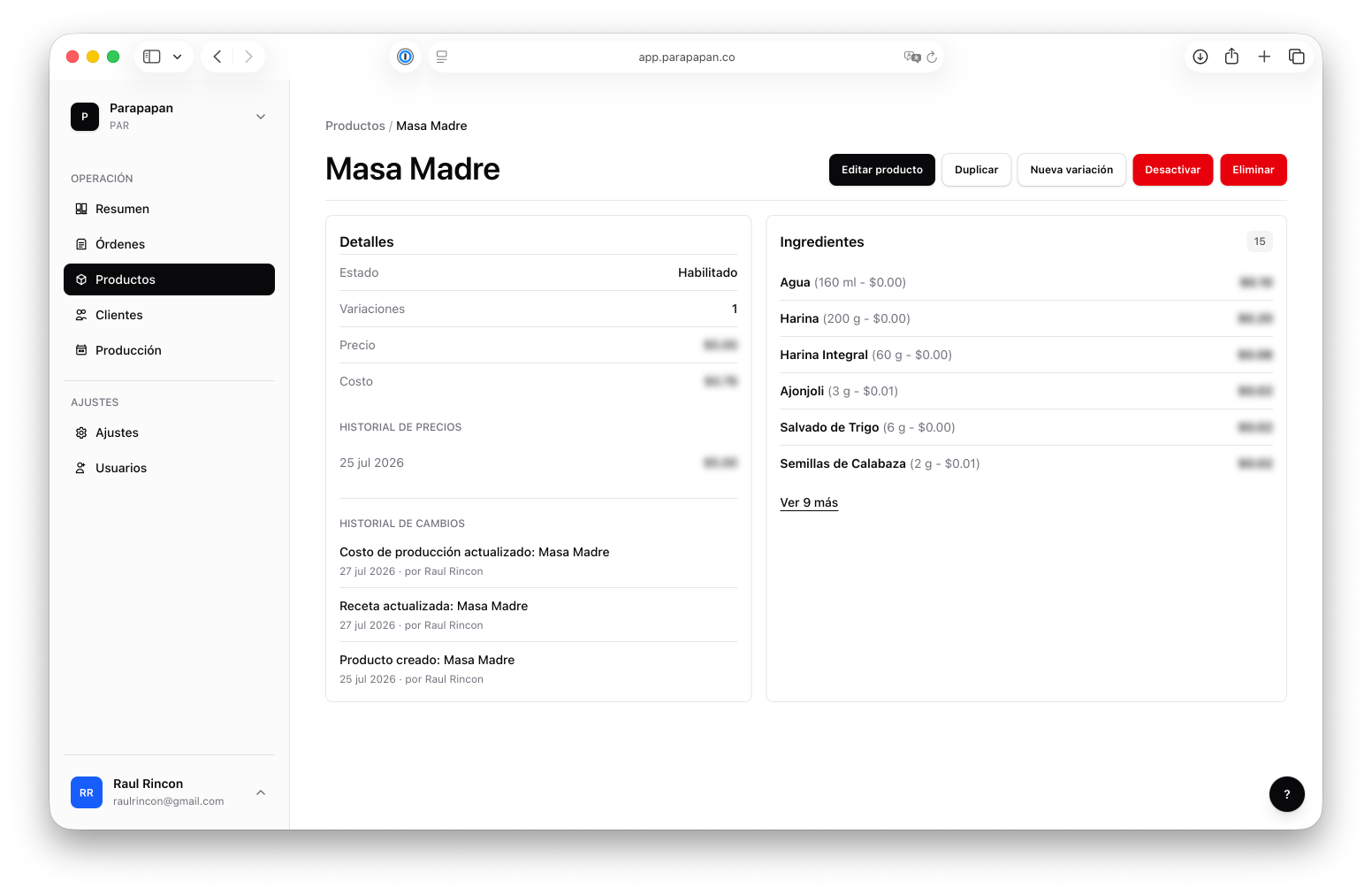
An ingredient can be anything: flour, packaging, custom materials, or special arrangements. It depends on how each business wants to set things up.
Built To Grow
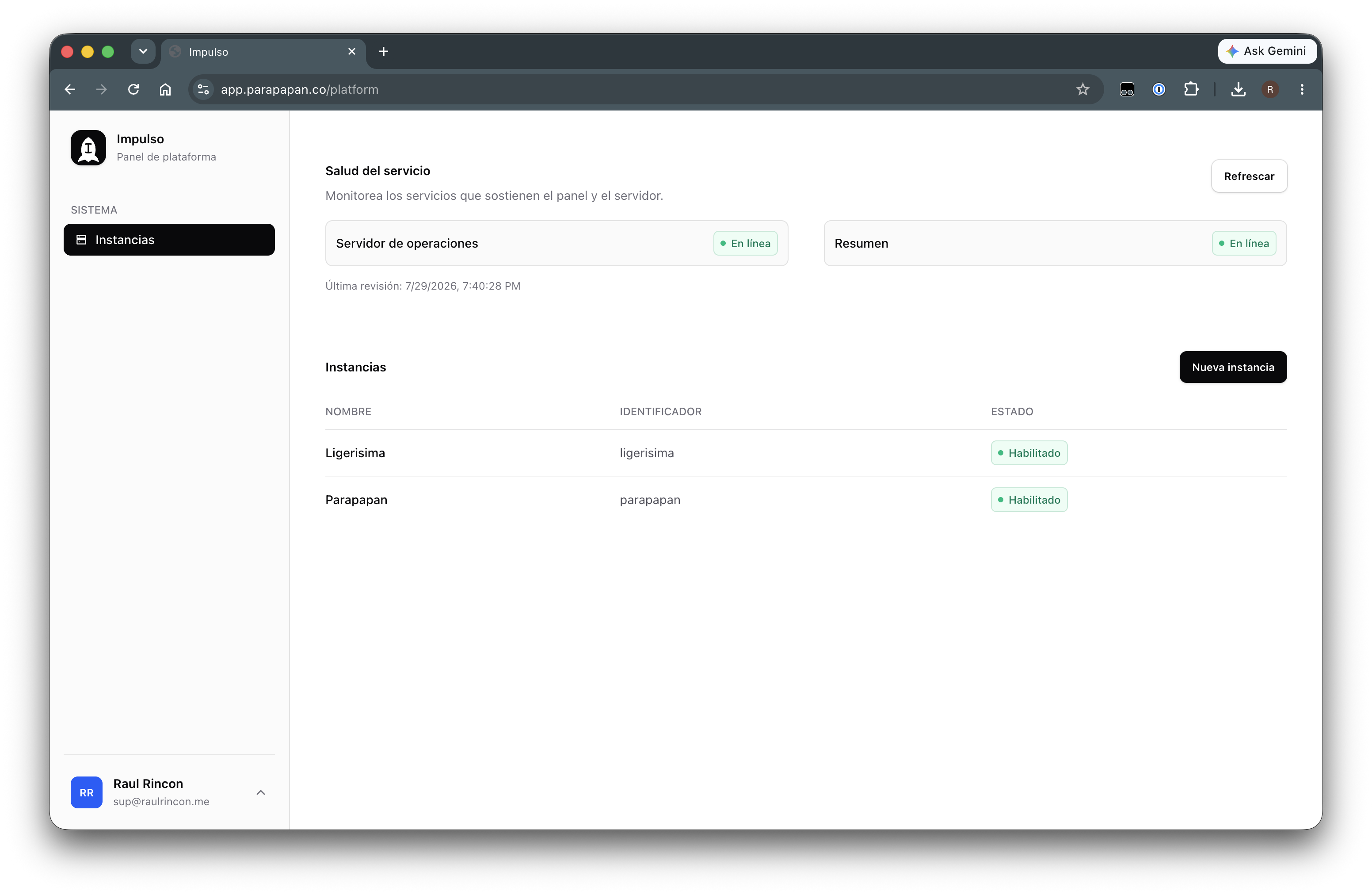
The dashboard was built with an instance-based approach.
That means the system is not hardcoded only for Parapapan. I can create a new instance for another business, configure their business details, add their ingredients, add their products, and they can start using their own version of the platform.
For another bakery or small food business, the setup would be simple:
- Add business details.
- Add ingredients.
- Add products.
- Start creating orders.
That is it.
I am already collaborating with other interested businesses and using their feedback to understand how this could grow beyond my family’s bakery.
Tech Stack
The product is built across mobile, web, API, and database layers.
The stack includes:
- Flutter
- Riverpod
- Next.js
- React
- TypeScript
- Tailwind
- PostCSS
- Prisma ORM
- OpenAPI
- Google Auth
- PostgreSQL
The delivery app and dashboard are separate experiences, but they are connected through the same operational system. The dashboard manages the data, and the app uses that data to support drivers during delivery days.
Outcome
The dashboard is still early, but it is already being used in real production days. So far, this new phase has supported two production days and around 40 orders per production day.
The biggest win is not just time saved. It is having a system that keeps the business organized from the moment orders come in.
If the dashboard disappeared tomorrow, we would go back to spreadsheets, manual sorting, manual delivery setup, and a lot more work before every production day.
That is how I know the product is working.
What I Learned
This project has reinforced how powerful small, practical tools can be. The dashboard did not start as a big product vision. It started because the delivery app solved one problem and exposed the next one.
That pattern has continued. Every time the business uses the system, I learn where the process is still too manual, where people need more clarity, and where the product can remove more work without becoming harder to use.
The biggest lesson is that good product work does not always mean adding more features. Sometimes it means building just enough structure so the work becomes easier, cleaner, and more repeatable.
Impulso (as I’m calling it) gave the business the boost it needed to become more organized, more profitable, and easier to run. And it is still growing.